.png)

Quiz Management System
Quiz Management System
The Quiz Management System is a web-based application designed for managing quizzes, candidates, and detailed performance reports. This system is particularly useful for schools, coaching centers, online learning platforms, and organizations conducting assessments.
With this system, admins can create quizzes, organize them into groups, assign them to candidates, and monitor results. Candidates can attempt quizzes online and get instant feedback. This project enhances productivity by automating quiz management and provides detailed analytics to measure learning outcomes.
The system is designed with simplicity, responsiveness, and security in mind, allowing users to focus on learning and assessment without unnecessary complications.
2. Workflow
The workflow of the Quiz Management System is simple and structured, ensuring smooth operation for both admins and candidates.
Step 1: Admin Panel
- Admin logs in with secure credentials.
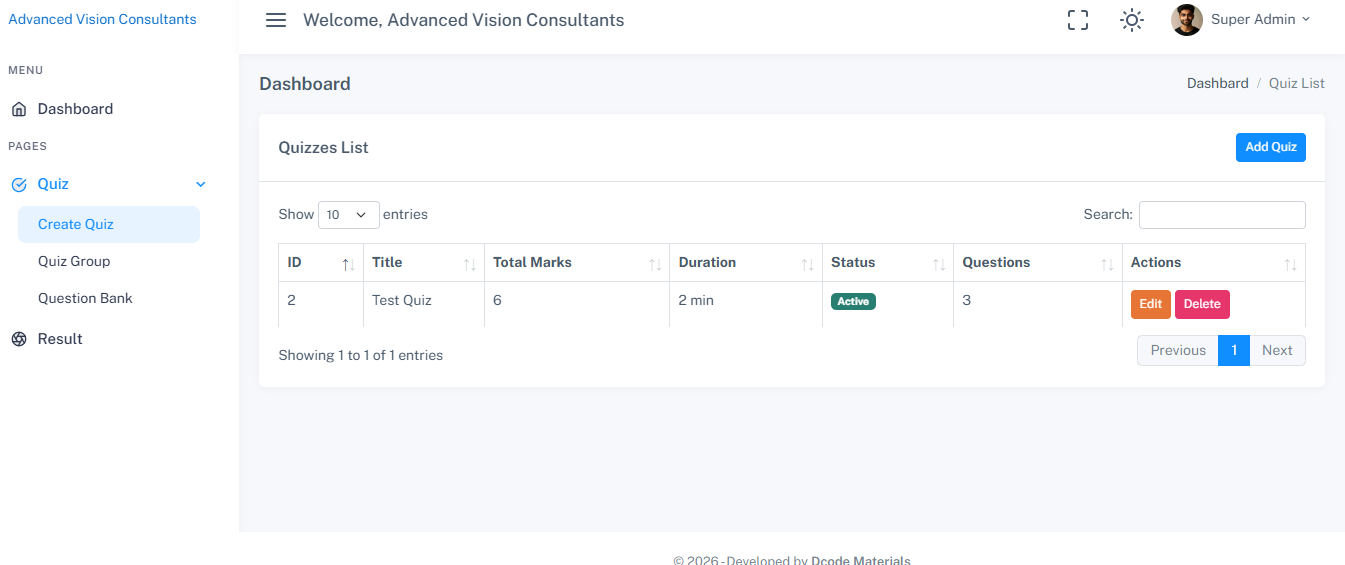
- Can create quiz groups to categorize quizzes by subjects or topics.
- Can add, edit, and delete questions in the question bank.
- Can assign quizzes to candidates or groups of candidates.
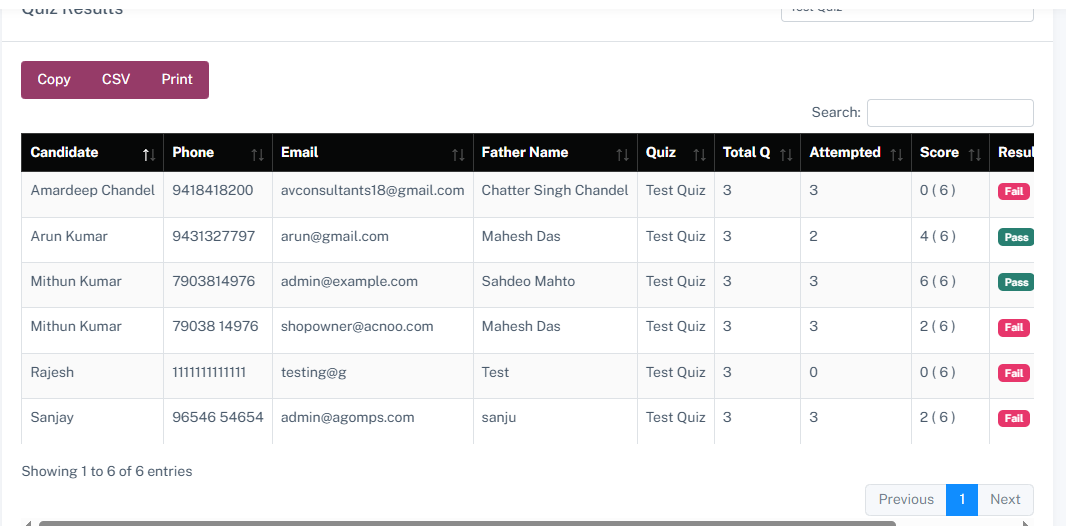
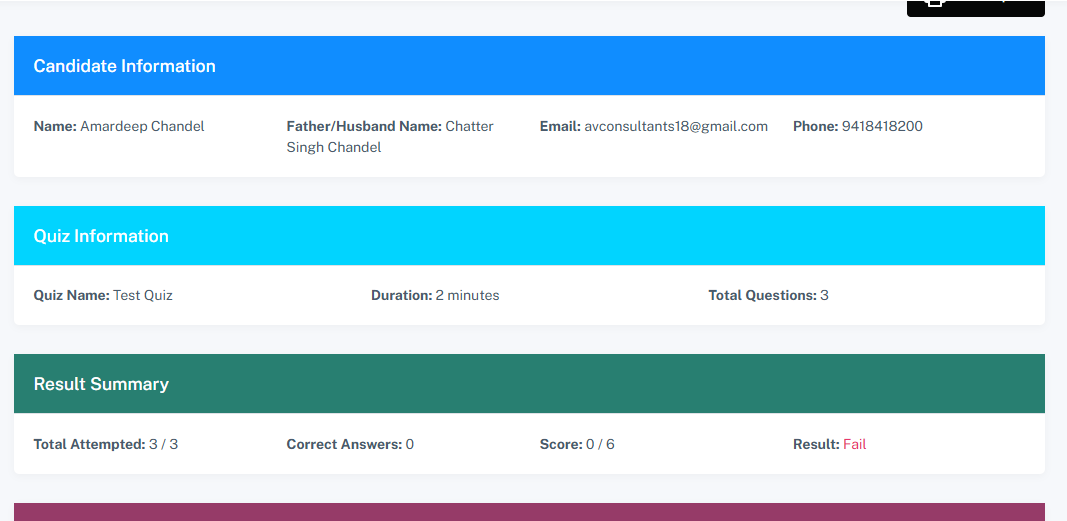
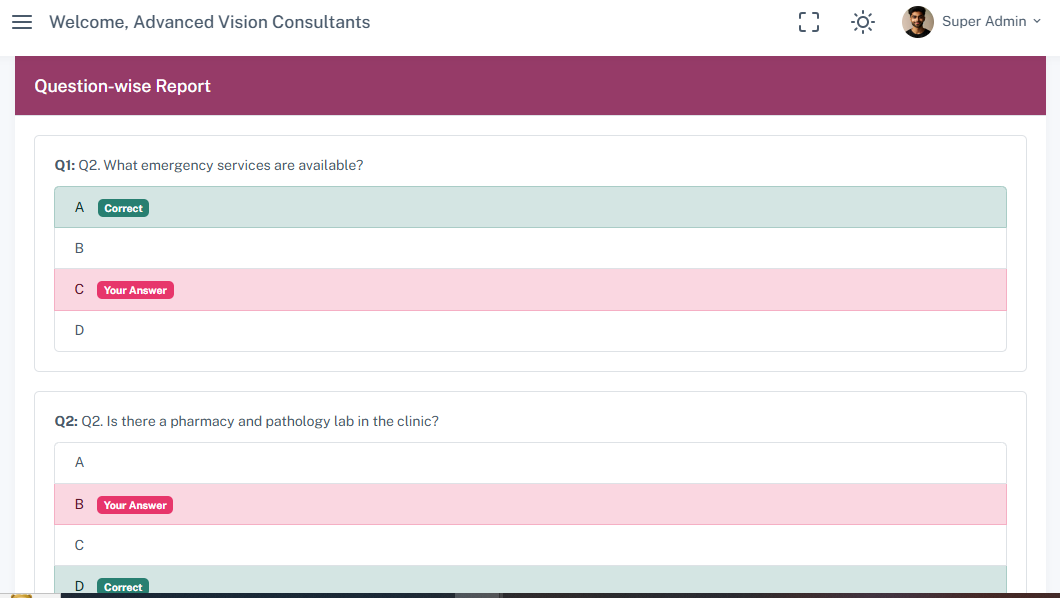
- Can generate detailed reports showing candidate performance, question-wise analysis, and overall scores.
Step 2: Candidate Panel
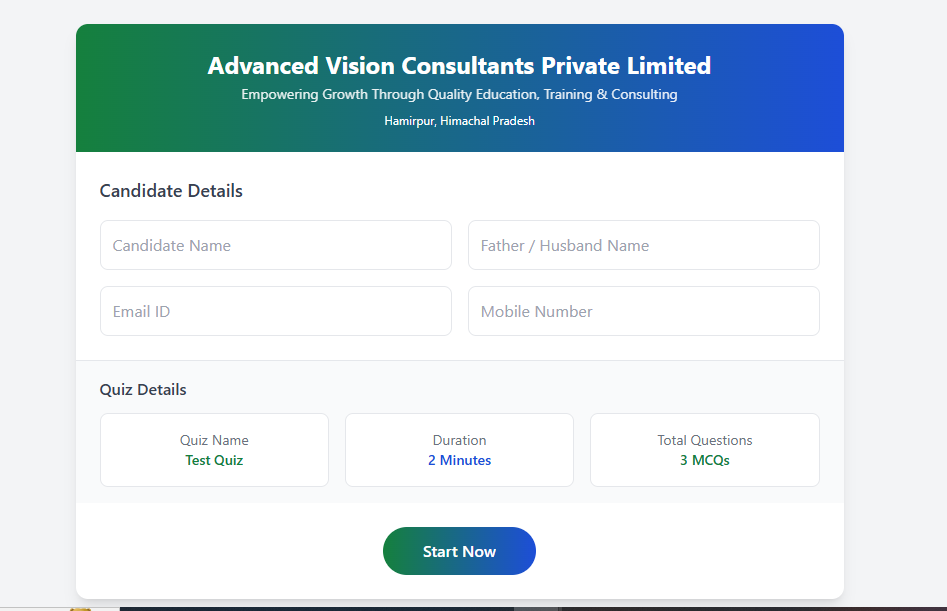
- Candidates receive login credentials or links to access their quizzes.
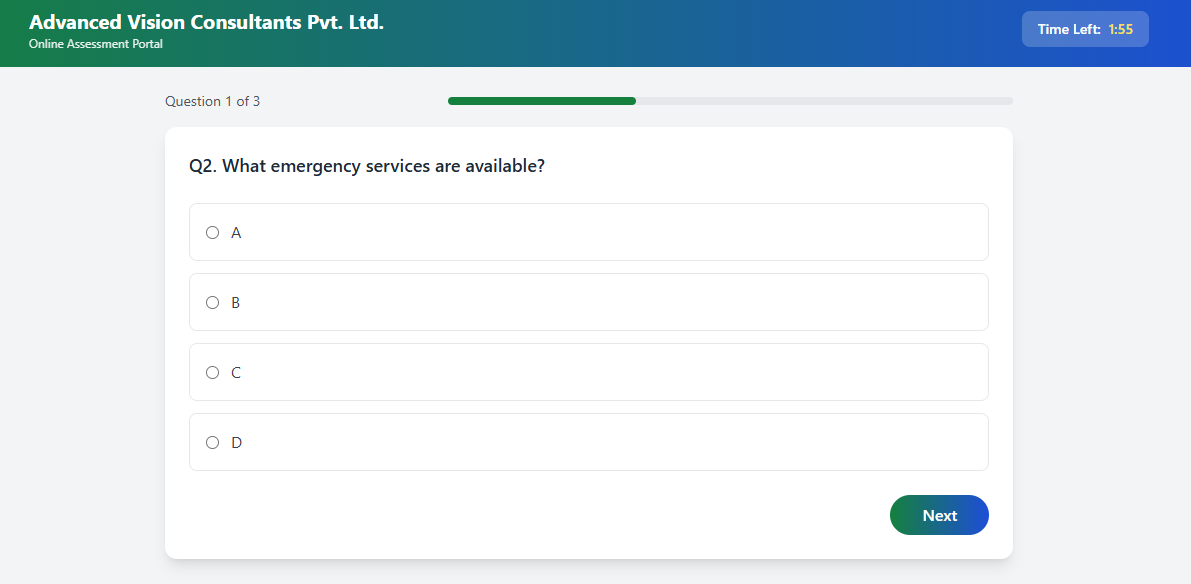
- Candidates attempt quizzes online with timer options (if enabled).
- After submission, candidates can see scores immediately or after admin approval (based on settings).
Step 3: Quiz Process
- Admin creates a quiz group (e.g., Science, Maths, English).
- Questions are added with multiple-choice options (single or multiple answers).
- Quizzes are assigned to selected candidates.
- Candidates attempt quizzes online.
- System calculates results automatically and stores them in the database.
Step 4: Reporting and Analytics
- Admin can view detailed reports, including candidate information, scores, percentage, and pass/fail status.
- Question-wise performance helps identify difficult areas for improvement.
This structured workflow ensures that quizzes are created, distributed, and assessed efficiently.
3. Features
The Quiz Management System comes with a rich set of features:
- Admin Panel: Manage users, quizzes, questions, and reports.
- Quiz Grouping: Organize quizzes into categories or subjects.
- Question Bank: Add, edit, delete questions with multiple-choice or descriptive answers.
- Candidate Management: Add and assign quizzes to candidates easily.
- Role-based Access: Admin has full access; candidates have restricted access.
- Real-time Quiz Attempt: Candidates can attempt quizzes online with timers.
- Detailed Reports: Generate detailed candidate performance reports.
- Responsive Design: Mobile-friendly and accessible from any device.
- Security: Secure login, role-based access, and data protection.
- Future-ready: Supports expansion like certificate generation and analytics graphs.
4. Technology Stack
This system is built using modern web technologies:
- Backend: Laravel 12 with Laravel Breeze for authentication and routing.
- Frontend: Blade templates, HTML5, CSS3, Bootstrap 5, JavaScript, jQuery.
- Database: MySQL for storing user, quiz, and report data.
- Icons and UI: Feather icons for intuitive navigation.
- AJAX: For smooth and real-time operations like submitting answers or loading quiz questions.
5. Installation Process
A. Installing on Local Server (XAMPP)
Follow these steps to run the Quiz Management System locally using XAMPP:
Step 1: Install XAMPP
- Download XAMPP from apachefriends.org.
- Install it on your computer and start Apache and MySQL modules.
Step 2: Setup Database
- Open phpMyAdmin via http://localhost/phpmyadmin.
- Create a new database (e.g., quiz_management).
Step 3: Clone or Copy Project Files
- Copy project files to C:\xampp\htdocs\quiz-management.
Step 4: Configure Environment
- Duplicate .env.example file and rename it .env.
- Update database credentials in .env:
DB_CONNECTION=mysql
DB_HOST=127.0.0.1
DB_PORT=3306
DB_DATABASE=quiz_management
DB_USERNAME=root
DB_PASSWORD=
Step 5: Install Dependencies
Open a terminal in the project folder and run:
composer install
npm install
npm run build
php artisan key:generate
Step 6: Run Migrations and Seeders
php artisan migrate --seed
Step 7: Access the System
- Open browser and visit: http://localhost/quiz-management/public
- Login as admin and start managing quizzes.
B. Installing on Live Server (Production)
Deploying to a live server ensures accessibility over the internet.
Step 1: Upload Files
- Use FTP (like FileZilla) or cPanel File Manager to upload all project files to your server's root directory.
Step 2: Setup Database
- Create a new MySQL database via cPanel.
- Import database.sql or run migrations using SSH.
Step 3: Configure Environment
- Update .env with live database credentials and server URL.
6. Database Structure
The system uses a relational database structure for efficiency and scalability:
- users: Stores admin and candidate details (user_type indicates admin or candidate).
- quiz_groups: Stores categories or subjects for quizzes.
- questions: Stores quiz questions.
- options: Stores multiple-choice answers for questions.
- attempts: Stores candidate quiz attempts and scores.
- module_roles & module_permissions: Controls role-based access for admins and candidates.
This structured database ensures efficient quiz management and reporting.
7. Advantages of the System
- Simplifies online quiz creation and assignment.
- Provides detailed analytics and reports.
- Secure role-based access for admins and candidates.
- Mobile-friendly design accessible from any device.
- Scalable for future upgrades like certificates, email notifications, and multi-language support.
Login Credentials
Admin : https://myquiz.dcodematerials.com/backend/login
password: password123
What You Will Get
- Complete Source Code
- Project Report (DOC / PDF)
- Database File
- Installation Guide
- Free Technical Support