.png)

Complete Solution for Medicine Stock, Sales, Purchases, and Reports

Complete Solution for Medicine Stock, Sales, Purchases, and Reports
1. Overview
The Medicine Inventory Management System is a comprehensive web-based application for managing pharmacy or hospital inventory, sales, purchases, suppliers, customers, employees, and reports. It streamlines day-to-day operations for pharmacies, clinics, or hospitals, helping them track medicines, reduce wastage, manage purchases, monitor sales, and maintain accurate stock levels.
The system supports a role-based access control system, so admins, staff, and pharmacists can have different levels of access, ensuring security and accountability. Additionally, the system has a frontend website for public-facing functions like product display, medicine availability, and inquiry forms.
This system is designed for accuracy, efficiency, and professional management, making it ideal for pharmacies, hospitals, and medical stores that want full control over inventory, sales, and reporting.
2. Workflow
The workflow ensures smooth operation and secure access across all modules:
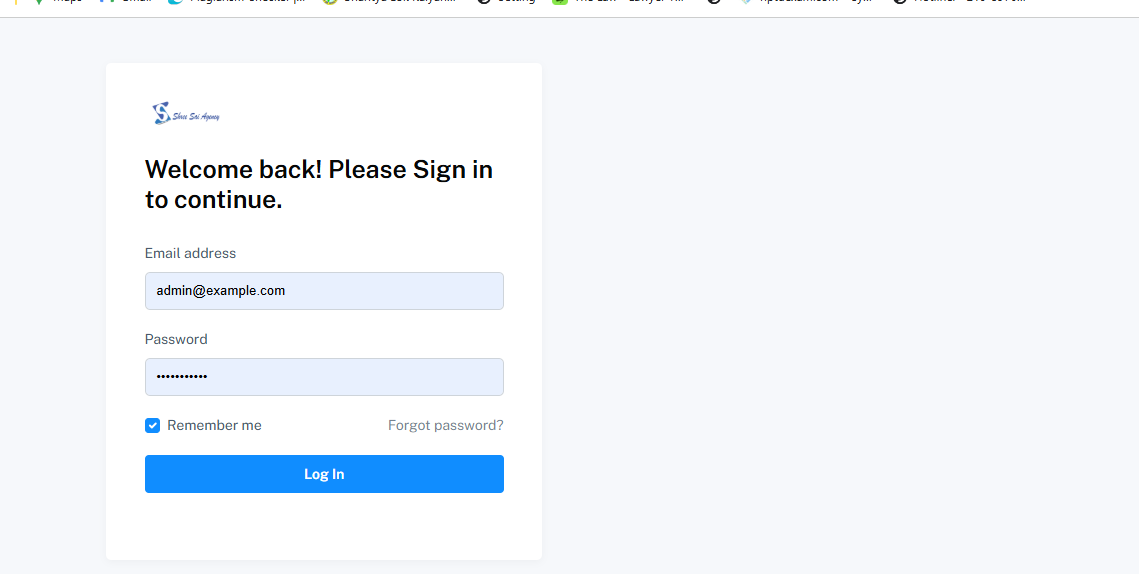
Step 1: Authentication
- Users log in securely through the backend system.
- Multi-role support: Admin, Pharmacist, Employee.
- Role-based access determines which modules and menus are visible.
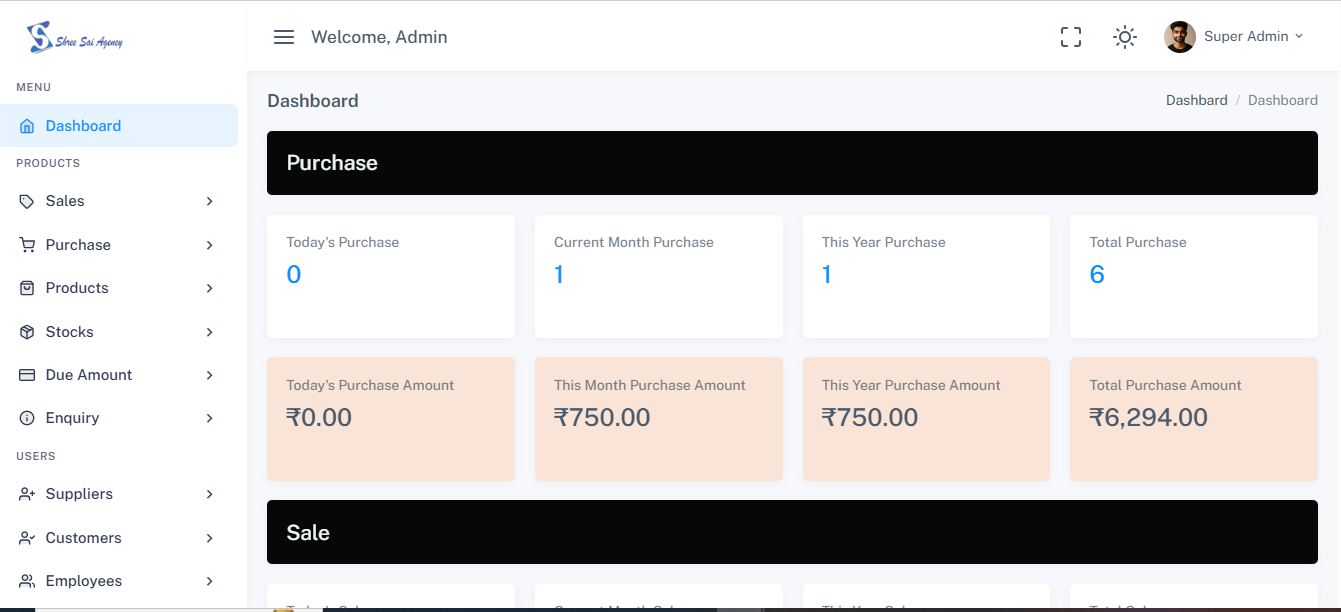
Step 2: Dashboard
- The backend dashboard provides a complete overview of:
- Total stock
- Expired or near-expiry medicines
- Total sales
- Pending due amounts
- Notifications for stock or supplier issues
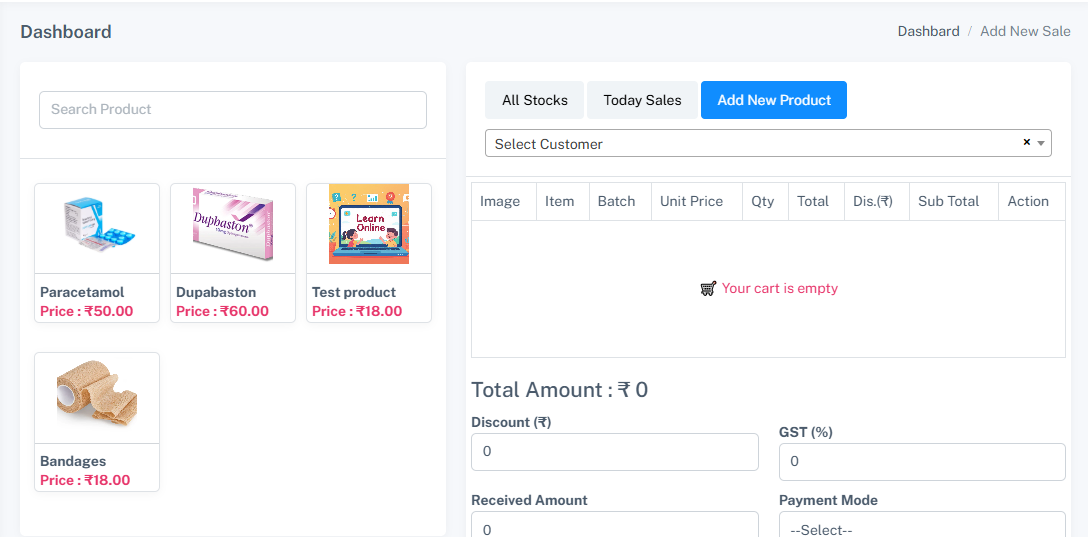
- Quick access to commonly used features like Sales, Purchases, Products, and Reports.
Step 3: Product Management
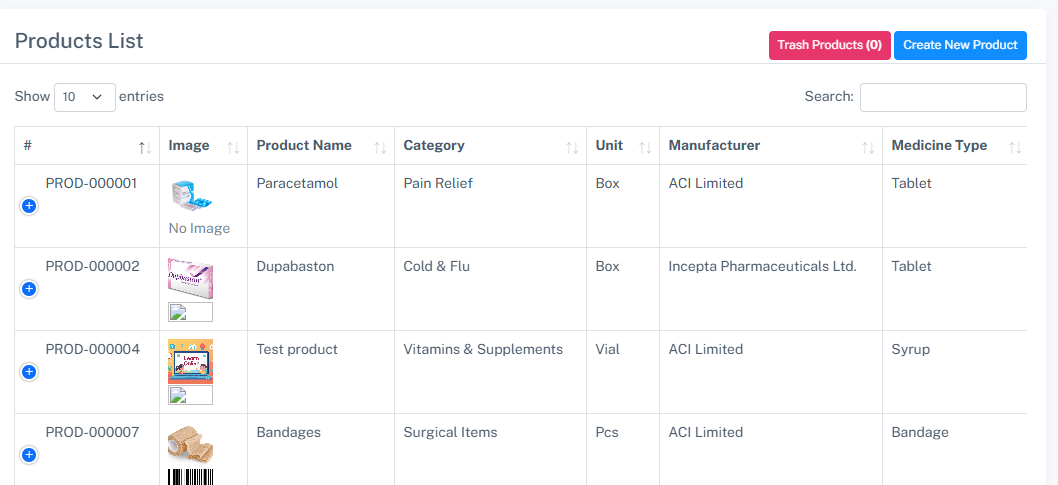
- Manage products/medicines, categories, subcategories, units, manufacturers, medicine types, and box sizes.
- Add, edit, or delete medicines with details like batch, expiry date, supplier, and price.
- Generate printable labels for medicines to streamline inventory tracking.
Step 4: Sales & Purchase Management
- Record new sales and automatically update stock.
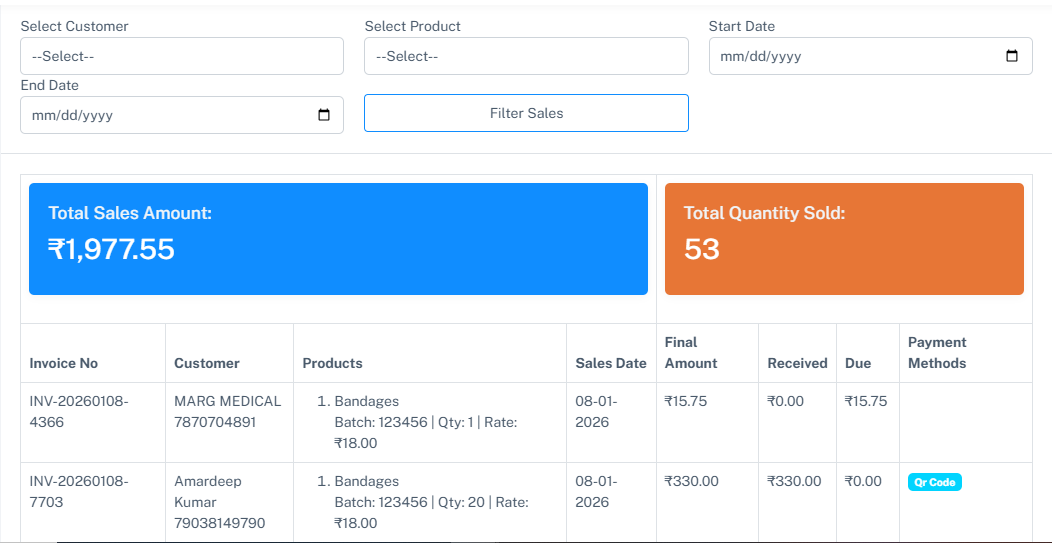
- Manage sales list with customer details and invoices.
- Record purchases from suppliers and update inventory.
- Track purchase list and pending purchase due amounts.
- Maintain sales due amounts to monitor pending payments.
Step 5: Stock Management
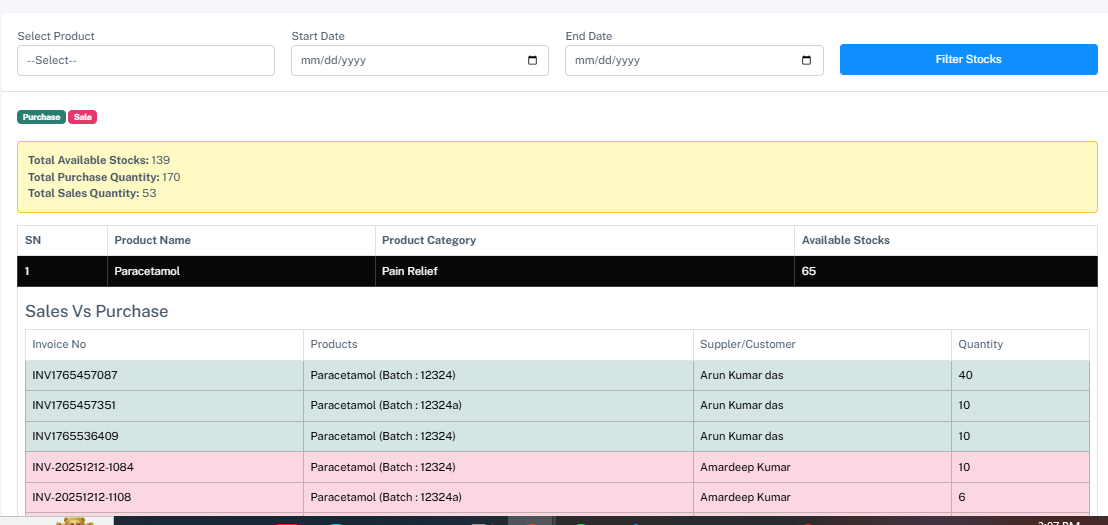
- View current stock list with quantity, batch, and expiry details.
- Get alerts for low stock or expiring medicines.
- Manage stock transfers between locations if applicable.
Step 6: Enquiries
- Manage customer or client enquiries through the backend.
- Maintain an enquiry list for tracking questions or requests regarding products.
Step 7: Supplier & Customer Management
- Maintain supplier database including contact info, company details, and linked medicines.
- Track customer database, including customer info and purchase history.
- Admin can add or edit suppliers/customers as needed.
Step 8: Employee Management
- Maintain employee records, including assigned roles and permissions.
- Assign modules or actions based on roles and permissions for secure operation.
Step 9: Reports & Analytics
- Generate detailed reports for:
- Sales Report
- Purchase Report
- Stock Report
- Reports can be exported in PDF or Excel for audits and business analysis.
Step 10: Settings & Role Management
- Admin can configure system-wide settings, including company information.
- Manage roles, permissions, and permission categories.
- Role-based access ensures users only see what they are allowed to.
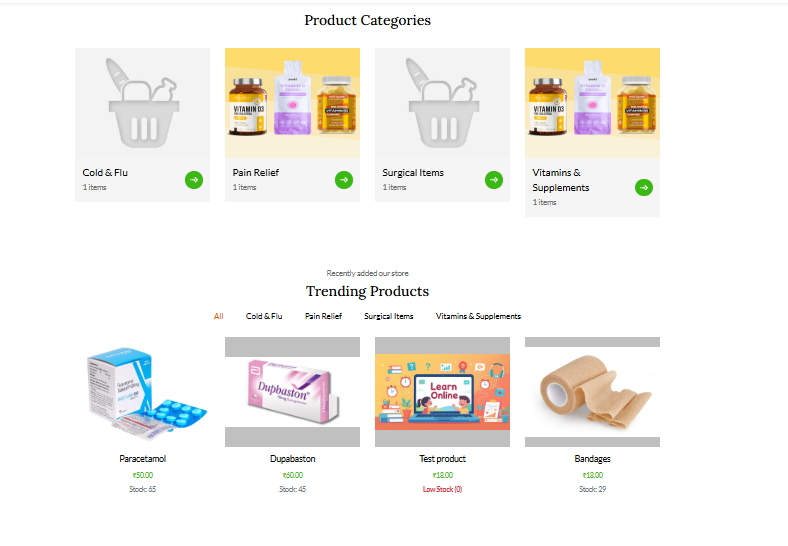
Step 11: Frontend Website
- Public-facing website allows:
- Viewing product list and categories
- Searching medicines by type or manufacturer
- Making inquiries via contact forms
- Displaying company details and services
3. Key Features
- Multi-Role Access Control: Admin, Pharmacist, Employee with configurable permissions
- Medicine Management: Products, categories, subcategories, units, manufacturers, medicine types, box sizes
- Sales & Purchase Management: Record sales/purchases, manage due amounts, generate invoices
- Stock Management: Real-time stock tracking, alerts for low stock and expiring medicines
- Supplier & Customer Management: Maintain detailed supplier/customer info
- Employee Management: Assign roles and permissions to employees
- Reports & Analytics: Detailed sales, purchase, and stock reports
- Settings & Configuration: Company settings, roles, permissions, permission categories
- Print Labels: Generate and print medicine labels for inventory tracking
- Enquiry Management: Track customer enquiries and requests
- Frontend Website: Product listing, search, and inquiry forms
- Responsive Design: Works across desktop, tablet, and mobile
- Secure Login & Permissions: Role-based access ensures data security
4. Technology Stack (comma-separated)
Laravel 12, Laravel Breeze, PHP, MySQL, HTML5, CSS3, Bootstrap 5, JavaScript, jQuery, AJAX, Blade Templates, Composer, NPM, Feather Icons
5. Installation Process
A. Local Server (XAMPP)
- Install XAMPP, start Apache and MySQL
- Create a database medicine_inventory in phpMyAdmin
- Copy project files to htdocs/medicine-inventory
- Update .env with database credentials
- Run:
composer install
npm install
npm run build
php artisan key:generate
php artisan migrate --seed
- Open http://localhost/medicine-inventory/public
B. Live Server Deployment
- Upload project files via FTP/cPanel
- Create database and import .sql or run migrations
- Update .env with live credentials
Login Credentials
Admin:https://medicineinventory.dcodematerials.com/backend/login
userid:admin@example.com
password:password123
What You Will Get
- Complete Source Code
- Project Report (DOC / PDF)
- Database File
- Installation Guide
- Free Technical Support